Stop unwanted scam text messages: Your complete guide

Your phone buzzes. It’s a text from your bank saying your account has been locked, with a link to verify your identity. Something feels off. That uneasy feeling is your best defense against scam texts, and learning to stop unwanted scam text messages before they cause real harm is one of the most practical things you can do for your personal and financial safety. This guide walks you through exactly how to spot, block, and report these messages so you can take back control of your phone without the guesswork.
Table of Contents
- Understand what scam text messages are and why they matter
- Prepare your phone and mindset to handle scam texts safely
- Step-by-step actions to stop unwanted scam texts immediately
- Maintain ongoing protection and monitor for new scam texts
- Why ignoring scam texts is often the best first defense, and what most guides overlook
- Protect yourself with ScamKit’s multi-source scam and link checking tools
- Frequently asked questions
Key Takeaways
| Point | Details |
|---|---|
| Ignore unknown texts | Do not respond or click on links from unknown numbers to avoid confirming your contact information to scammers. |
| Use built-in filters | Activate your phone’s spam filters to automatically sort and block potential scam texts safely. |
| Report to carriers | Forward scam messages to 7726 to help your mobile carrier identify and block spammers network-wide. |
| Verify independently | Always check suspicious messages by contacting businesses or agencies through official websites or phone numbers you trust. |
| Document before deleting | Save scam text details including sender and full message to provide high-quality reports aiding enforcement. |
Understand what scam text messages are and why they matter
Scam texts, also called “smishing” (SMS phishing), are fraudulent messages designed to trick you into handing over personal information, clicking a dangerous link, or sending money. They are not random annoyances. They are calculated attacks. Understanding how they work is the first step to protecting yourself.
One of the most deceptive tools scammers use is caller-ID spoofing, which means the message can appear to come from your bank, the IRS, a delivery company, or even a friend’s number. The FCC emphasizes that this tactic makes spam texts look completely legitimate to the average consumer. That is exactly why a quick glance at the sender’s number is not enough to judge whether a message is real.
Common scam text tactics include:
- Fake delivery alerts claiming your package is held and asking you to pay a small fee via a suspicious link
- Bank fraud warnings urging you to verify your account or your funds will be frozen
- Prize or lottery notifications saying you have won something and need to claim it immediately
- Government impersonation messages pretending to be the IRS, Social Security Administration, or Medicare
- Fake job offers promising high pay for minimal work, then asking for your personal details
The danger goes beyond the initial message. If you reply or click a link, you signal to scammers that your number is active and reachable. That puts you on a list for more aggressive targeting. You can learn more about common phone scams and the patterns they follow to sharpen your awareness even further.
Prepare your phone and mindset to handle scam texts safely
Before you take any action on a suspicious message, set up the right defenses on your device. Think of it like locking your doors before going to bed. A few simple settings can filter out a large portion of scam texts automatically.
- Enable spam filtering on iOS. Go to Settings, then Messages, and turn on “Filter Unknown Senders.” This routes messages from people not in your contacts into a separate tab so they do not interrupt your day.
- Enable spam filtering on Android. Open the Messages app, tap the three-dot menu, go to Settings, then Spam Protection, and turn it on. Google’s filters run in the background and flag suspicious messages automatically.
- Consider a third-party call and text blocking app. Several reputable apps add an extra layer of filtering by cross-referencing incoming numbers against known scam databases.
- Know the 7726 shortcode. The FCC advises that you should never respond to or click links from unknown numbers, and that most major carriers let you report spam by forwarding the message to 7726 (which spells SPAM on a keypad). This takes about ten seconds and feeds real data to your carrier’s fraud team.
- Mentally commit to one rule: do not engage. No replies, no link clicks, no “STOP” responses to numbers you do not recognize. Engagement is the scammer’s goal.
When you are unsure whether a message is legitimate, checking suspicious SMS before doing anything else is a smart habit. You can also explore smishing checkers to understand the tools available for text message filtering.
Pro Tip: Save the number 7726 as a contact in your phone labeled “Report Spam.” When a scam text arrives, forwarding it becomes a two-second habit rather than a task you have to look up.
Step-by-step actions to stop unwanted scam texts immediately
When a suspicious text lands in your inbox, here is exactly what to do. Follow these steps in order and you will avoid the most common mistakes people make.
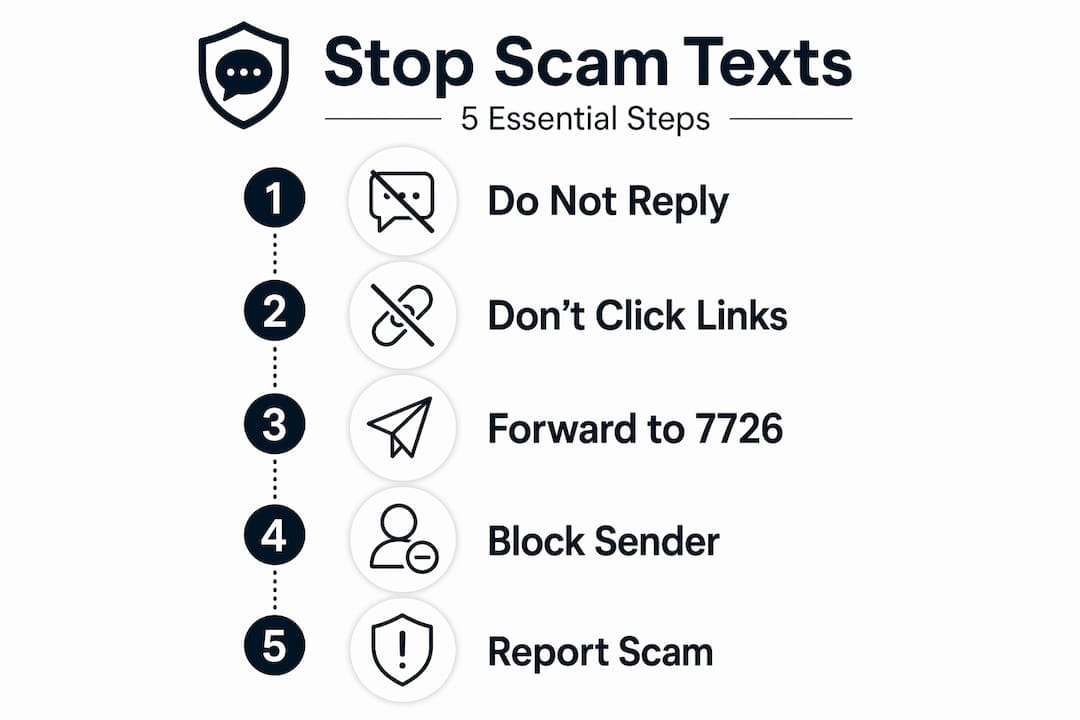
Step 1: Identify the warning signs. Before doing anything else, look for these red flags:
- The message creates urgency (“Act now or your account will be closed”)
- It asks for personal information, passwords, or payment details
- The sender’s number looks unusual, like a long string of digits or a foreign area code
- The URL in the message is shortened, misspelled, or does not match the company’s real domain
- The message references a prize, package, or payment you were not expecting
Step 2: Do not click, reply, or call back. The FTC advises verifying any claim by contacting the company through a phone number or website you already know is legitimate, not through anything provided in the suspicious message. If your bank supposedly sent you a text, call the number on the back of your card.
Step 3: Forward the message to 7726. This reports it directly to your carrier. Forward the message as-is, without editing it.

Step 4: Block the sender. On iPhone, tap the sender’s number, scroll down, and select “Block this Caller.” On Android, press and hold the message, tap the three-dot menu, and choose “Block number.” Blocking stops that specific number from reaching you again, though scammers often rotate numbers.
Step 5: Report to the FTC. Visit ReportFraud.ftc.gov and submit the details. This contributes to national enforcement efforts. You can also follow our scam reporting guide for a full walkthrough of the process.
Here is a quick reference for identifying and responding to the most common scam text types:
| Scam type | Key warning sign | Immediate action |
|---|---|---|
| Fake bank alert | Urgent link to “verify” account | Call your bank directly |
| Package delivery scam | Fee required to release shipment | Check carrier’s official site |
| IRS or government text | Threatens legal action or fines | Visit IRS.gov directly |
| Prize or lottery win | Asks for personal info to claim | Delete immediately |
| Fake job offer | Requests payment or ID upfront | Do not respond |
Pro Tip: Before deleting a scam text, screenshot it. If the scam escalates or you need to file a formal complaint, having a record of the exact message, sender number, and any URLs makes your report far more useful to investigators. Tips on spotting scam texts can also help you recognize patterns faster over time.
Maintain ongoing protection and monitor for new scam texts
Blocking one number and moving on is not enough. Scammers adapt constantly, rotating numbers and updating their scripts. Long-term scam message prevention requires a few ongoing habits.
Keep your filters current:
- Review your phone’s spam filter settings every few months to make sure they are still active after software updates
- Update any third-party security apps you use, since scam databases are only useful when they are current
- Check whether your carrier offers a dedicated spam-blocking service, as many now provide these at no extra cost
Understand the difference between manual blocking and carrier-level reporting:
| Method | What it does | Limitation |
|---|---|---|
| Manual block | Stops one specific number | Scammers switch numbers easily |
| Forward to 7726 | Reports to carrier fraud team | Requires your action each time |
| Carrier spam filter | Suppresses known spam campaigns | May miss new or evolving tactics |
| Third-party app | Cross-references scam databases | Varies in accuracy by provider |
The FCC recommends forwarding spam texts to 7726 rather than relying solely on manual blocking, because carrier-level filters can suppress entire spam campaigns, not just a single number. One report from you can protect thousands of other users.
Stay alert to emerging threats. Two scam trends worth knowing about right now are SIM swapping, where a scammer convinces your carrier to transfer your phone number to their device, and number spoofing, where scam texts appear to come from numbers you already trust. Learning about SIM swap threats can help you recognize the early warning signs before serious damage is done.
Escalate persistent problems. If you are receiving a high volume of scam texts despite filtering, file a formal complaint with the FCC at fcc.gov/consumers/guides/filing-informal-complaint. Choose the “Unwanted Calls/Texts” category. The FCC uses these reports to identify patterns and pursue enforcement actions against repeat offenders.
Pro Tip: Using a scam scanner to check suspicious links before clicking them adds a critical safety layer, especially when a message looks convincing enough to make you second-guess yourself.
Why ignoring scam texts is often the best first defense: and what most guides overlook
Most guides jump straight to blocking and reporting. Those steps matter. But there is something more fundamental that gets glossed over: the single most powerful thing you can do when a scam text arrives is nothing.
Not nothing as in passive. Nothing as in deliberate non-engagement. The safest immediate action is to not respond and not click any links, because any engagement gives scammers the confirmation they need to escalate. A reply, even an angry one, tells them your number is monitored and active. A link click can install tracking software or redirect you to a credential-harvesting page before you even realize what happened.
Here is the counterintuitive part most people miss: replying “STOP” to a scam text does not unsubscribe you. It does the opposite. It confirms your number is real and responsive, which often results in more messages, not fewer. Legitimate marketing texts from real companies do honor STOP requests. Scammers use that expectation against you.
The second overlooked point is that ignoring and reporting together create a network effect. When you forward a scam text to 7726, your carrier adds that number to a shared blocklist. The next person who gets a text from that same campaign may never see it at all. Your ten seconds of action protects people you will never meet.
The emotional pull to respond is real. Scam texts are designed to provoke urgency and anxiety. That is the mechanism. Recognizing the emotional manipulation for what it is makes it easier to pause, step back, and check the message against what you know using tools like checking suspicious texts before taking any action at all.
Protect yourself with ScamKit’s multi-source scam and link checking tools
You now have a solid framework for identifying and stopping scam texts. But some messages are genuinely hard to call. A link that looks almost right, a message that sounds almost official. That is where having a fast, reliable tool makes a real difference.

ScamKit is a free tool that checks suspicious links, messages, and phone numbers against multiple trusted security sources including Google Safe Browsing, AlienVault OTX, and AbuseIPDB. No sign-up needed. Paste a suspicious URL from a text message into the free link checker and get a plain-English verdict in seconds. You can also use the email header analyzer to verify whether a message claiming to be from a company is actually coming from a legitimate source. The ScamKit platform brings together the tools, education, and community reporting you need to stay one step ahead of scammers, all in one place.
Frequently asked questions
What should I do if I receive a scam text asking for personal information?
Do not click any links or reply. Instead, contact the company using a phone number or website you already know is legitimate to verify whether the message is real.
How do I report scam text messages to my mobile carrier?
Forward the scam text to 7726 (SPAM), which alerts your carrier’s fraud team and helps them identify and block the spam campaign at the network level.
Is it effective to reply “STOP” to unwanted scam texts?
No. Replying to scam texts confirms your number is active and often results in more messages. Only use STOP with senders you are certain are legitimate businesses.
Can apps or phone settings completely stop scam text messages?
Phone filters and apps reduce scam texts significantly, but no method is 100% effective. Reporting scams and staying alert to new tactics remain essential parts of your protection.
What information should I keep when reporting a scam text?
Save the sender’s number, the exact message text, and any URLs included before you delete it. Capturing these details makes your report far more actionable for carriers and enforcement agencies.