Instant Scam Check Tool Features That Actually Matter
You get a text from your bank asking you to verify your account. The link looks almost right. You have about 30 seconds before you either click it or delete it. That split-second decision is exactly where instant scam check tool features make a real difference. No sign-up forms, no waiting, no uploading your private messages to a server you’ve never heard of. Just a fast, clear answer. This article breaks down what to look for in a scam detection tool, which tools are worth your time, and how to pick the right one for the scams you actually encounter.
Table of Contents
- Key Takeaways
- 1. What makes a good instant scam check tool
- 2. Phishing URL Scanner: heuristic, local analysis
- 3. Scam Message Detector: text-based pattern recognition
- 4. AI Scam Text Checker: multi-layer analysis
- 5. Google Lens and Circle to Search: mobile-first detection
- 6. Norton Genie in ChatGPT: context-aware AI detection
- 7. Comparison of top instant scam check tools
- 8. How to choose the right tool for your situation
- 9. What’s coming next in scam detection
- My honest take on using these tools
- Check any link, message, or number free with Scamkit
- FAQ
Key Takeaways
| Point | Details |
|---|---|
| Speed and privacy matter most | The best tools deliver results in under 10 seconds without sending your data to any server. |
| No sign-up is a real feature | Tools that require accounts add friction and risk. Prioritize browser-based, no-login options. |
| AI detection catches more | AI-powered tools spot psychological manipulation and urgency cues that simple blocklists miss. |
| One tool is never enough | Layer multiple tools and your own skepticism, especially for financial or personal decisions. |
| Mobile support is now standard | Leading tools work across Android and iOS, including OS-level integrations like Google Lens. |
1. What makes a good instant scam check tool
Not all scam checkers are built the same. Some are fast but shallow. Others are thorough but require you to create an account, wait for results, or hand over your data to a third party. When you’re evaluating instant fraud check features, there are a few criteria that separate genuinely useful tools from ones that just look the part.
Speed. A tool that takes two minutes to return a result is not an instant checker. The best tools deliver a verdict in seconds. Tools like Phishing URL Scanner provide verdicts in under 10 seconds without any data upload, which is the standard worth holding others to.
Privacy-first design. Many instant scam check tools operate entirely locally using JavaScript in the browser, generating zero network requests. That means your suspicious link or message never leaves your device. You can verify this yourself by checking your browser’s network activity during a scan. If you see outbound requests, the tool is sending your data somewhere.
Input variety. A strong tool handles more than just URLs. Look for support across:
- Links and web addresses
- SMS and email text
- Phone numbers
- Email headers
- Screenshots or images
Detection method. Heuristic analysis checks patterns like suspicious domain lengths, unusual top-level domains, and credential-bait keywords. AI-based tools go further by analyzing tone, urgency, and psychological manipulation. The best tools combine both.
No sign-up required. This is non-negotiable for most users. If a tool asks you to create an account before you can check a suspicious link, that friction defeats the purpose.

Pro Tip: When evaluating a local vs. cloud-based checker, open your browser’s developer tools (press F12, then click “Network”) while running a scan. A truly local tool will show zero outbound requests. A cloud tool will show calls to external servers. Neither is automatically bad, but you should know which one you’re using.
2. Phishing URL Scanner: heuristic, local analysis
The Phishing URL Scanner from Security Elites is one of the cleaner examples of browser-based, no-signup scam detection. You paste a URL, and the tool checks it against a set of locally-run heuristic rules covering things like brand names buried in subdomains, suspicious TLDs, and URL length patterns.
Heuristic URL analysis catches 70 to 85 percent of phishing URLs, which is solid for a tool that never touches a server. The tradeoff is that sophisticated attacks using clean-looking domains or recently registered URLs can slip through. Think of it as a fast first filter, not a final verdict.
Best for: Quickly checking links in emails or texts before you click. Limitation: May miss newer or more sophisticated phishing domains.
3. Scam Message Detector: text-based pattern recognition
If you receive a suspicious SMS or email and want to check the actual text, the Scam Message Detector is worth knowing about. You paste the message content, and it highlights scam language patterns like urgency traps, fake reward claims, and phishing phrases. It runs fully in-browser with no data sent externally.
The results are written in plain English, which makes it accessible for users who aren’t security professionals. You’ll see which specific phrases triggered a warning and why. That transparency helps you learn what to watch for in future messages, not just get a pass or fail score.
Best for: Checking the body of suspicious emails or texts. Limitation: Does not analyze links embedded in the message.
4. AI Scam Text Checker: multi-layer analysis
This tool takes text analysis a step further. The AI Scam Text Checker scans messages using multi-layer heuristic analysis that covers keyword density, URL obfuscation, and psychological manipulation markers. It returns a confidence score and flags high-risk or critical warnings, all locally and without requiring a sign-up.
What sets it apart is the psychological layer. It doesn’t just look for known bad words. It evaluates whether the message is designed to make you act fast, feel afraid, or bypass your normal judgment. That’s the kind of analysis that catches scams written by people who know how to avoid keyword filters.
Best for: Detailed analysis of suspicious SMS or email messages. Limitation: Confidence scores can vary; always cross-check high-stakes messages.
5. Google Lens and Circle to Search: mobile-first detection
These are not traditional scam checkers, but they’ve become genuinely useful for mobile users. Google Lens and Circle to Search allow you to identify scam messages by circling text or uploading screenshots, with AI-powered overviews available globally on Android and iOS.
The tool flags urgent money requests and shady links, then suggests next steps. It’s particularly useful when you receive a suspicious image-based message, like a screenshot of a fake delivery notice, where copy-pasting text isn’t an option.
Pro Tip: If you receive a suspicious message as an image, use Google Lens to scan the text directly. It can extract URLs and phrases that you can then run through a dedicated scam checker.
Best for: Mobile users dealing with image-based scam messages. Limitation: Requires Google account on some devices; not a dedicated scam tool.
6. Norton Genie in ChatGPT: context-aware AI detection
Available since March 2026, Norton Genie operates as a ChatGPT-integrated assistant that goes beyond link reputation checks. It evaluates language, tone, and tactics to assess whether a message is likely a scam. That means it can catch impersonation attempts, emotional manipulation, and urgency plays that a URL scanner would never flag.
This matters because AI-crafted phishing messages outperform human-written ones by 24%, making context-aware detection increasingly important. A message that looks grammatically clean and emotionally convincing is exactly what traditional blocklists miss.
Best for: Checking suspicious messages that feel off but look legitimate. Limitation: Requires ChatGPT access; sends message content to external servers.
7. Comparison of top instant scam check tools
Here’s a quick side-by-side look at how these tools stack up on the features that matter most:
| Tool | Input types | Detection approach | Privacy | Speed | Sign-up required |
|---|---|---|---|---|---|
| Phishing URL Scanner | URLs | Heuristic, local | Full (no data sent) | Under 10 seconds | No |
| Scam Message Detector | Text (SMS/email) | Pattern recognition, local | Full (no data sent) | Under 10 seconds | No |
| AI Scam Text Checker | Text (SMS/email) | Multi-layer AI, local | Full (no data sent) | Under 10 seconds | No |
| Google Lens / Circle to Search | Images, text, screenshots | AI-powered, cloud-assisted | Partial (Google account) | Near-instant | Optional |
| Norton Genie (ChatGPT) | Text, links, images | Context-aware AI, cloud | Low (data sent to servers) | Near-instant | Yes (ChatGPT) |
The tools at the top of this list are the ones to reach for first if privacy is a priority. The cloud-based options offer more contextual depth but require you to accept that your content is being processed externally.
8. How to choose the right tool for your situation
The right scam checker depends on what you’re checking and how much you care about privacy. Here’s a practical way to think through it:
- Suspicious link in an email or text? Start with a heuristic URL scanner. It’s fast, private, and handles the most common phishing attempts.
- Suspicious message text? Use a browser-based text analyzer. Look for one that explains which phrases triggered the warning, not just a score.
- Suspicious phone number? You need a tool that cross-references known scam databases. Check out ScamKit’s phone checker for this.
- Image-based scam? Google Lens is your best option for extracting and analyzing text from screenshots.
- Something that feels sophisticated? Use a context-aware AI tool as a second opinion, understanding that it will process your content externally.
Experts recommend layering AI-powered tools with user skepticism and official verification, especially for financial transactions. That’s not overcaution. It’s just how scam detection actually works in practice.
Pro Tip: For anything involving money, a job offer, or a romantic connection online, run the content through at least two different tools. One heuristic, one AI-based. If both flag it, trust that signal. If only one does, dig deeper before acting.
9. What’s coming next in scam detection
The features of scam check tools are evolving fast. A few trends are worth watching.
AI language models are getting better at detecting the subtle psychological cues that make scams convincing. The kind of message that reads like it came from a real person, uses your name, and references something plausible is exactly what older tools miss. Newer models are trained specifically on social engineering patterns, not just known bad URLs.
Google’s layered approach combines on-device models for instant checks with cloud intelligence for broader threat correlation. This hybrid architecture balances latency, privacy, and detection accuracy in a way that neither pure local nor pure cloud tools can match alone.
The next frontier is voice and video. AI voice cloning scams are already happening, and tools that can analyze audio or video calls for manipulation patterns are in development. The same principles that power text-based scam detection are being applied to AI voice cloning scams, and the results will matter for anyone who receives unexpected calls from people claiming to be family members or bank representatives.
No-sign-up, browser-based tools will keep growing because users are demanding them. Privacy is no longer a nice-to-have. It’s a baseline expectation, and the tools that respect it will earn the most trust.
My honest take on using these tools
I’ve spent a lot of time looking at how people actually use scam detection tools, and the pattern I see most often is this: someone gets a suspicious message, Googles “is this a scam,” finds a tool, pastes the content, gets a green checkmark, and relaxes. That’s the dangerous part.
No single tool catches everything. Multi-layered defense is the only approach that works reliably, and that includes your own skepticism as one of the layers. A tool can tell you a URL looks clean. It cannot tell you that the person who sent it has been building your trust for three weeks as part of a longer con.
What I’ve found actually works is treating instant checkers as a first filter, not a final answer. They’re excellent at catching obvious phishing links, known scam numbers, and messages loaded with urgency language. They’re not designed to catch a well-crafted impersonation of your boss asking you to buy gift cards.
The tools I trust most are the ones that are transparent about their limitations. If a tool gives you a confidence score and explains what triggered it, that’s a tool built for informed users. If it just says “safe” with no explanation, you’re flying blind. Learn to read the common scam techniques yourself, because that knowledge doesn’t expire the way a blocklist does.
. Isaiah
Check any link, message, or number free with Scamkit
If you want a single place to run fast, multi-source scam checks without creating an account, Scamkit was built for exactly that.
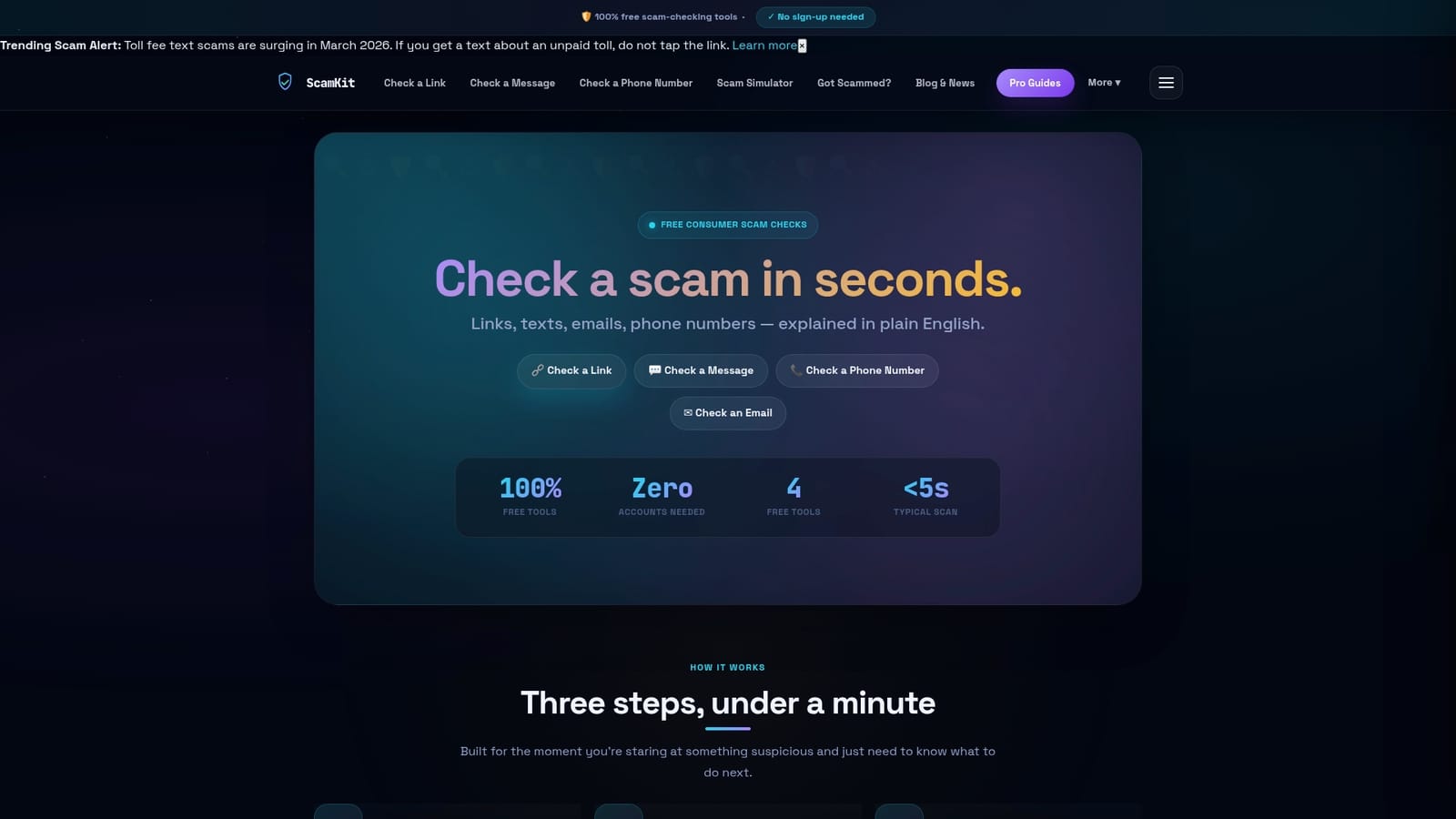
Scamkit pulls from trusted security sources including Google Safe Browsing, AlienVault OTX, and AbuseIPDB to give you a plain-English verdict on suspicious links, emails, phone numbers, and messages. You paste the content, you get a result in seconds, and you get a clear explanation of what was found and what to do next. No account needed. No waiting. Try the free scam checker now, or go straight to the URL safety tool if you have a specific link to verify. You can also analyze email headers to catch spoofed senders before they catch you.
FAQ
What are the most important instant scam check tool features?
Speed, privacy, and input variety are the core features. The best tools return results in under 10 seconds, run locally in the browser without sending your data externally, and support multiple input types including URLs, text messages, phone numbers, and email headers.
Do I need to sign up to use a scam detection tool?
No. Many of the best scam detection tools require no sign-up at all. Browser-based tools like Phishing URL Scanner and AI Scam Text Checker run entirely locally and deliver instant results without any account creation.
Can one tool catch all types of scams?
No single tool catches all scam types reliably. Experts recommend combining heuristic URL checkers, AI-powered text analyzers, and your own judgment, especially for messages involving money, job offers, or personal relationships.
How does AI improve scam detection compared to older tools?
AI models analyze tone, urgency, psychological manipulation, and impersonation cues that traditional blocklists miss entirely. Since AI-crafted phishing messages outperform human-written ones by 24%, AI-powered detection has become a practical necessity, not just a bonus feature.
Are browser-based scam checkers actually private?
Yes, if they are built correctly. Tools that run entirely in JavaScript with no outbound network requests keep your data on your device. You can verify this by checking your browser’s Network tab while running a scan. Zero outbound requests means zero data exposure.