What is a URL checker? How to safeguard yourself online
TL;DR:
- HTTPS padlock does not guarantee website safety; many phishing sites also use it.
- URL checkers analyze threat databases, domain age, redirects, and patterns to identify risks.
- Combining multiple tools with cautious habits enhances protection against online scams and malicious links.
You see the padlock icon in your browser and think, “This site is safe.” That’s one of the most dangerous assumptions you can make online. Over 80% of phishing sites now use HTTPS, meaning that little padlock means almost nothing on its own. Scammers have gotten good at looking legitimate. They copy real websites, use convincing domain names, and send links that seem totally normal. A URL checker is one of the most effective tools you have to cut through that deception. This article breaks down what a URL checker actually is, how it works, and how to use one to protect yourself before you ever click.
Table of Contents
- What is a URL checker and how does it work?
- Types of URL checkers: Security vs. general analysis
- How effective are URL checkers? Detection rates, strengths, and weaknesses
- Best practices: How to use a URL checker and stay safe online
- Our perspective: Why human judgment still matters, even with top tools
- Protect yourself with advanced URL checking
- Frequently asked questions
Key Takeaways
| Point | Details |
|---|---|
| HTTPS isn’t enough | A padlock icon alone doesn’t mean a link is safe, as most phishing sites also use HTTPS now. |
| No tool is foolproof | URL checkers catch most threats but can miss new or sophisticated scams. |
| Combine checks and habits | Using a URL checker along with common sense and multiple tools offers the strongest protection. |
| Check the whole URL | Scams may hide in subdomains or obfuscated paths, not just suspicious main domains. |
What is a URL checker and how does it work?
A URL checker is a tool that analyzes a web address and tells you whether it’s safe to visit. You paste in a link, and the tool scans it against a range of signals to flag anything suspicious. Think of it as a quick background check on a link before you open the door.
Here’s what a security-focused URL checker typically looks at:
- Known threat databases: The tool compares the URL against lists of confirmed malicious sites, phishing pages, and scam domains.
- Domain age and reputation: Newly registered domains are a major red flag. Scammers often create fresh sites to avoid detection.
- Redirect chains: Some links look harmless but bounce you through several hidden pages before landing somewhere dangerous.
- Suspicious patterns: Misspelled brand names, unusual subdomains, or extra characters in a URL can all signal fraud.
- Blacklists: Major security organizations maintain updated lists of dangerous URLs, and checkers cross-reference these constantly.
One of the most powerful systems behind many URL checkers is Google Safe Browsing, which checks billions of URLs every single day. That scale matters because new scam sites pop up constantly, and staying current is essential.
It’s worth knowing that not every tool called a “URL checker” is focused on security. Some are built for SEO professionals and only look at things like page speed, broken links, or redirect performance. Those tools won’t tell you if a link is a phishing attempt. When you’re trying to spot fake links and protect yourself from scams, you need a tool built specifically for safety analysis.
URL checkers are also useful when you receive suspicious messages. If you’re unsure about a link inside an email, a URL checker is a smarter first step than clicking through. You can learn more about reading phishing email analysis to understand how these attacks are structured and what to watch for.
Pro Tip: Never paste a URL directly into your browser to “test” it. Use a checker first. One click on the wrong link can be enough to trigger a download or compromise your device.
Types of URL checkers: Security vs. general analysis
Not all URL checkers do the same job. Choosing the wrong type won’t protect you. Understanding the difference is important.
Security-focused URL checkers are designed to detect threats. They scan for malware, phishing attempts, scam patterns, and known dangerous domains. These are the tools you want when you receive a suspicious link in a text, email, or social media message.
General analysis URL checkers are built for developers, marketers, and SEO specialists. They look at things like page load speed, redirect chains for performance reasons, broken links, and metadata. They’re not designed to catch scams.
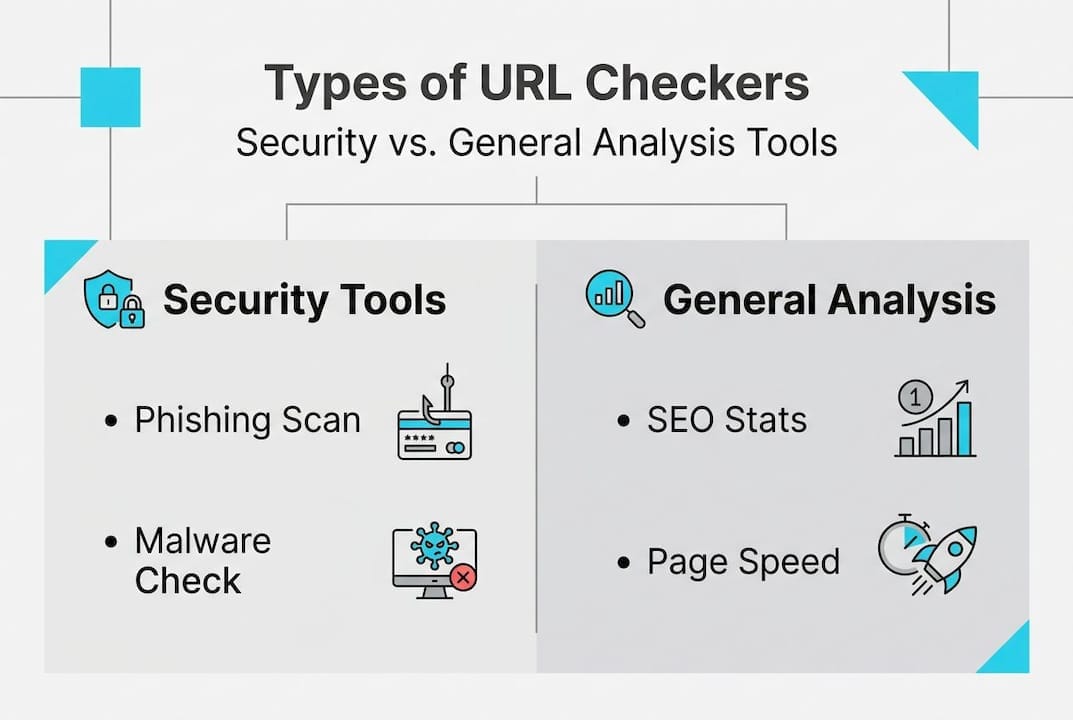
Here’s a quick comparison:
| Feature | Security URL checker | General analysis tool |
|---|---|---|
| Phishing detection | Yes | No |
| Malware scanning | Yes | No |
| Domain reputation | Yes | Sometimes |
| Page speed analysis | No | Yes |
| Broken link detection | No | Yes |
| SEO metrics | No | Yes |
| Best use case | Scam prevention | Website optimization |
Popular security tools include VirusTotal, which scans URLs against dozens of antivirus engines at once, and Google Safe Browsing. For general SEO analysis, tools like Screaming Frog or Ahrefs are common. But again, those won’t help you spot a scam.
As no single tool is perfect, using more than one checker for suspicious links is a smart habit. What one tool misses, another might catch. Combining tools gives you a broader safety net.
For a security-focused option built specifically for everyday users, the ScamKit URL Checker is designed to be fast, simple, and privacy-friendly. No sign-up required.
How effective are URL checkers? Detection rates, strengths, and weaknesses
So, how reliable are these tools when you actually use them? Let’s look at the numbers.
The good news is that leading URL checkers perform very well in controlled tests. Tools like Norton and Webroot achieve 97 to 100% malicious URL deflection rates in independent benchmarks. That’s impressive. For the vast majority of known threats, a good URL checker will catch the problem before you’re exposed.
Here’s a breakdown of what URL checkers handle well versus where they struggle:
| Scenario | Detection reliability |
|---|---|
| Known phishing sites | Very high (97-100%) |
| Known malware domains | Very high |
| Zero-day scam sites (brand new) | Low to moderate |
| Shortened URLs (e.g., bit.ly) | Requires expansion first |
| Compromised legitimate sites | Moderate |
| Obfuscated or encoded URLs | Requires full-path analysis |
Key stat: Top-rated URL checkers block 97 to 100% of known malicious links. But “known” is the critical word here.
The main weakness is timing. New phishing sites can evade detection because threat databases need time to update after a new scam site goes live. A scammer who launches a fresh domain today might not be flagged until tomorrow. That window is exactly when victims get hit.
Shortened URLs are another challenge. A link like bit.ly/3xK9p tells you nothing about where it actually goes. Always expand shortened links using a tool like CheckShortURL before running a safety check. That way, you’re analyzing the real destination.
You should also know about URL red flags to watch for manually. If a URL has random strings of characters, misspelled brand names, or an unusual domain extension, those are warning signs even before you run a check. For high-volume situations, the bulk URL check tool lets you scan multiple links at once.
Pro Tip: If a URL checker gives a clean result but something still feels off about the message or offer, trust that feeling. Tools catch what they know. Your instincts catch what they don’t.
Best practices: How to use a URL checker and stay safe online
With an understanding of what you’re up against, here’s how to take real control over suspicious links:
- Copy the link, don’t click it. Right-click or long-press to copy the URL. Never open it directly.
- Expand shortened URLs first. If the link uses a shortener like bit.ly or tinyurl, use an expander tool to reveal the full address before scanning.
- Paste into a URL checker. Use a security-focused tool. Check the full URL including the path, not just the domain.
- Review the results carefully. Look at the risk rating, any flagged categories (phishing, malware, spam), and domain age.
- Run a second check if anything looks suspicious. Use a different tool to cross-verify. No single scanner catches everything.
- Check the context of the message. Did you expect this link? Is the sender verified? Scammers often impersonate known brands or contacts.
- When in doubt, don’t click. Go directly to the official website by typing the address yourself.
As combining tech tools with good habits is critical, the steps above are most effective when they become routine. It only takes a few seconds to check a link, and that habit can save you from serious financial or personal harm.
It’s also worth doing broader website safety checks when you’re considering a purchase from an unfamiliar store. Scam shopping sites are common, and a URL check is just the first layer of protection. Combine it with checking for reviews, a valid return policy, and real contact information.
Learning to spot scam red flags visually is equally important. And reviewing real phishing examples helps train your eye to catch what tools sometimes miss.
Our perspective: Why human judgment still matters, even with top tools
Here’s something most cybersecurity content won’t tell you directly: the best URL checker in the world is still just a database. It knows what it’s been told. It flags what it’s already seen.
Scammers know this. They rotate domains. They use fresh links specifically to avoid detection windows. They craft messages that feel personal and urgent so you act before you think.
We’ve seen people get burned not because the tools failed, but because they trusted the tools completely and stopped paying attention. A clean scan result can create a false sense of security. That’s actually one of the more dangerous outcomes.
The smartest approach is to treat a URL checker as a first opinion, not a final verdict. Use the red flags guide to build your own instincts alongside the tools. Ask yourself: Does this message make sense? Is there pressure to act fast? Does the offer seem too good? Those questions cost you nothing and catch what scanners miss.
Technology and awareness together are far stronger than either one alone.
Protect yourself with advanced URL checking
You now know how URL checkers work, where they shine, and where they have limits. The next step is putting that knowledge into practice.
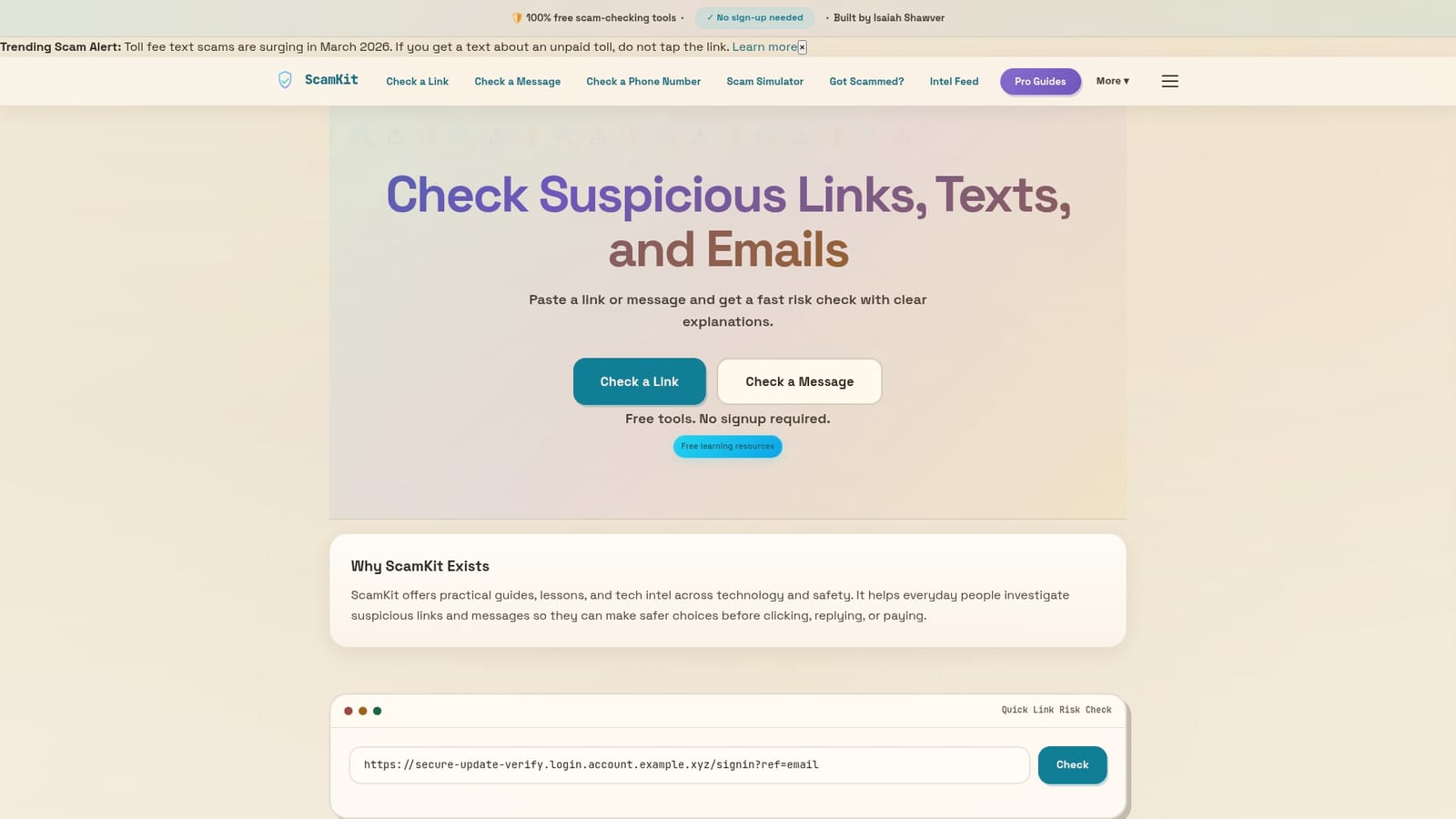
ScamKit’s free URL checker lets you instantly assess any link for risk, no sign-up needed, no data collected. If you received a suspicious email, the Email Header Analyzer helps you dig deeper into where that message actually came from. And if you need to scan multiple links at once, the Bulk Analysis tool handles that quickly and easily. All of ScamKit’s tools are built for real people, not security experts. Fast, free, and private.
Frequently asked questions
Can a URL checker detect every phishing or scam link?
No tool catches everything. New phishing sites can be missed because databases take time to update, so always combine checkers with your own judgment and smart habits.
Are free URL checkers safe to use?
Yes, as long as you use established tools from reputable sources like Google Safe Browsing, VirusTotal, or ScamKit. Avoid random unknown checkers that ask for personal information.
Should I trust a link if it shows the HTTPS padlock?
No. Over 80% of phishing sites use HTTPS, so the padlock only means the connection is encrypted, not that the site is legitimate. Always run a URL check.
What if a legitimate site is flagged as unsafe?
False positives can happen and legitimate sites can sometimes be compromised. Run the URL through a second tool and search for any recent news about that site being hacked or flagged.