Phishing scams: Real examples and how to spot them
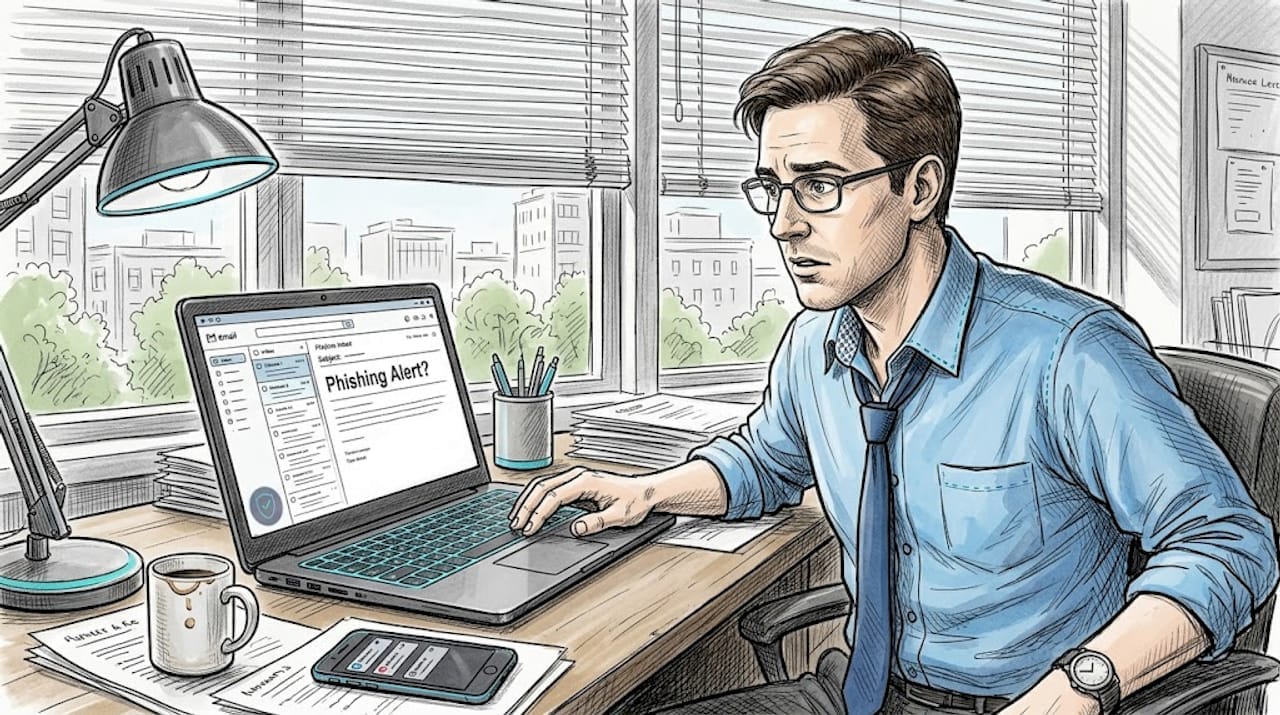
TL;DR:
- Phishing scams use increasingly sophisticated methods like AI-generated messages and personalized research.
- Common tactics include fake emails, smishing texts, vishing calls, and social media messages exploiting urgency and fear.
- Awareness, verification, and using protective tools are vital to avoid falling victim to these evolving scams.
A friend of mine almost wired $2,400 to a fake PayPal support rep last spring. The email looked perfect. Official logo, correct font, even a real-looking case number. She only stopped when she called me and I noticed the sender’s domain was “paypa1.com” with a number instead of an “l.” That one detail saved her. Phishing scams are everywhere, and they often impersonate trusted brands like banks, utilities, and payment platforms. Knowing what they look like in real life is the best protection you have. This article walks through the most common types, with real examples, so you can recognize them before they cause harm.
Table of Contents
- How phishing scams target you: Common techniques
- Email phishing examples: What real scams look like
- Text and mobile phishing: Smishing and wallet fraud
- Specialized phishing: Tech support, business, and brokerage scams
- The evolving battle: Phishing trends and how defenses are changing
- Learn more and protect yourself from phishing
- Frequently asked questions
Key Takeaways
| Point | Details |
|---|---|
| Recognize scam signals | Phishing scams often mimic real companies and use urgent, threatening language to push you into action. |
| Protect against mobile fraud | Smishing scams now use messaging apps and mobile wallets, so everyone must scrutinize texts and digital payment links. |
| Watch for niche attacks | Specialized phishing targets tech support, business executives, and investment accounts, causing substantial losses. |
| Training reduces risk | Awareness and education lower the effectiveness of phishing, even as new AI-driven scams emerge. |
How phishing scams target you: Common techniques
Phishing works because it exploits trust. Scammers don’t break into your accounts by force. They trick you into handing over your information willingly. That’s what makes it so effective and so dangerous.
The most common delivery methods include:
- Email: Fake messages from banks, streaming services, or government agencies
- Text messages (smishing): Alerts about package deliveries, toll fees, or account issues
- Phone calls (vishing): Someone claiming to be tech support or your bank
- Pop-up ads: Browser warnings that look like security alerts
- Social media messages: Fake prize notifications or account suspension warnings
Every one of these methods relies on the same core strategy: urgency, fear, or reward. The message either threatens you (“Your account will be suspended”) or tempts you (“You’ve won a gift card”). Both push you to act fast without thinking.
Phishing emails often push you to click links or open attachments that steal your Social Security number, date of birth, or financial data. The goal is always the same: get your personal information or your money.
What’s changed recently is the sophistication. Scammers now use AI tools to write flawless messages that pass basic grammar checks and even bypass spam filters. According to the 2025 Verizon DBIR, social engineering caused 17% of all data breaches. That’s a huge share, and it shows how effective manipulation still is compared to technical hacking.
Scammers also research their targets. They check LinkedIn profiles, social media posts, and public records to personalize their messages. A scam email that mentions your employer or recent purchase feels far more believable than a generic one.
Pro Tip: Before clicking any link in an email, hover over it to see the actual URL. If it doesn’t match the official company domain exactly, don’t click. You can also paste suspicious links into a spotting fake emails guide to double-check what to look for.
Understanding these techniques is step one. Now let’s look at what real phishing messages actually look like.
Email phishing examples: What real scams look like
Email is still the number one phishing channel. And the examples keep getting harder to spot. Here are the most common scenarios people encounter.
Account verification requests are classics. You get an email from “Netflix” or “Amazon” saying your payment failed or your account needs verification. The email looks real. But the link goes to a fake site that captures everything you type, including your password and credit card number.
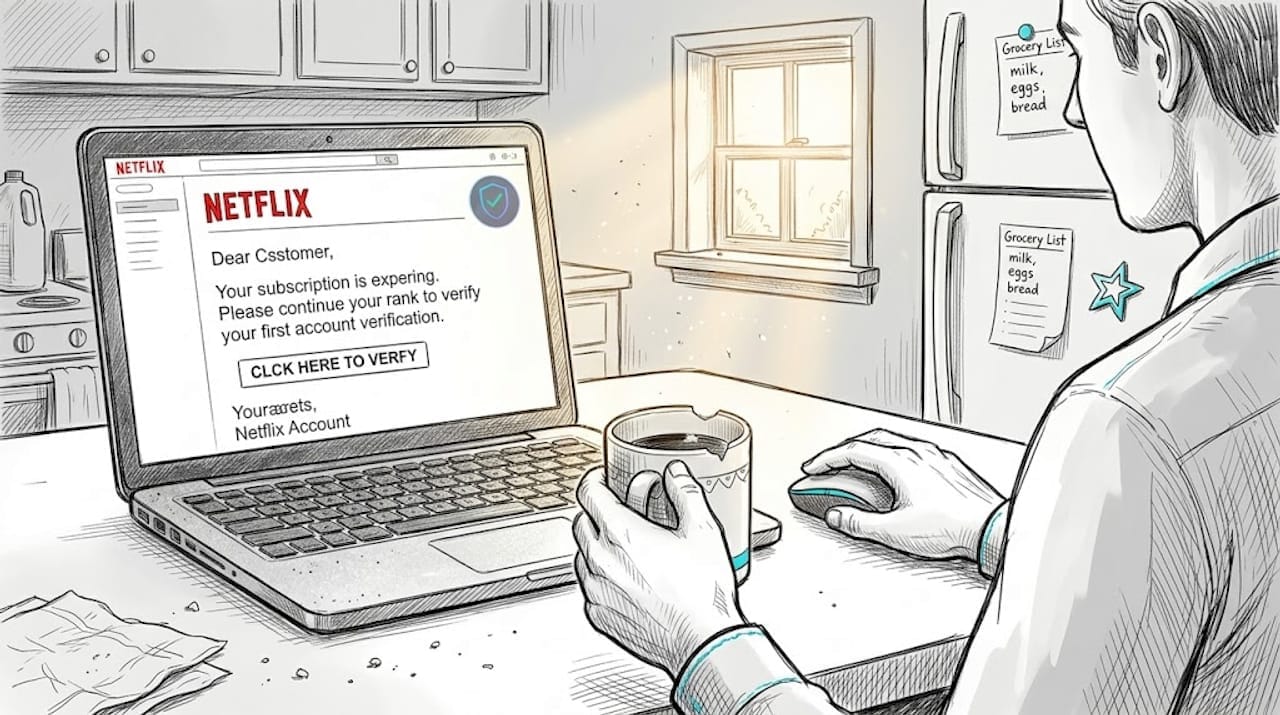
Security alert emails claim someone logged into your account from an unfamiliar location. They create panic. You’re supposed to click “Secure My Account” immediately. That link leads to a lookalike login page designed to steal your credentials.
Fake invoice emails tell you a charge has been processed and give you a number to call if you didn’t authorize it. When you call, a scammer walks you through “canceling” the charge while actually gaining access to your bank account.
Here are the red flags these emails share:
- Sender address uses a lookalike domain (amaz0n.com, paypa1.com)
- Generic greeting like “Dear Customer” instead of your name
- Urgent language: “Act now,” “Within 24 hours,” “Immediate action required”
- Links that don’t match the company’s real website
- Attachments you weren’t expecting
One of the scariest developments is keystroke capture. Some phishing sites record what you type in real time, even if you never hit submit. You could start entering your password, think better of it, and still have your data stolen. The 2025 KrebsOnSecurity report found that 82.6% of phishing emails now use AI-generated content that evades spam filters.
Real phishing emails are designed to feel normal. The goal is to make you feel like you’re doing the right thing by clicking.
For a closer look at how these messages are constructed, the phishing email breakdown on ScamKit walks through real examples line by line. You can also check out latest scam trends to stay current on what’s circulating right now.
The key takeaway: always verify independently. Don’t call the number in the email. Don’t click the link. Go directly to the company’s official website by typing it yourself.
Text and mobile phishing: Smishing and wallet fraud
Your phone is now just as much a target as your inbox. Text-based phishing, called smishing, has exploded in recent years. And it’s getting more creative.
The most organized operation right now is known as the Smishing Triad. This China-based group sends iMessage and RCS messages spoofing USPS and toll road services, tricking people into entering their card data. Then they use that data to add stolen cards to Apple Pay or Google Wallet, making the fraud nearly untraceable.
Here’s what smishing messages typically look like:
- “Your USPS package is on hold. Confirm your address here: [link]”
- “You have an unpaid toll. Pay $3.85 to avoid a $35 fine: [link]”
- “Your Amazon order has a problem. Verify your payment: [link]”
These texts feel routine. That’s the point. You’re used to getting package notifications. You don’t think twice.
| Feature | Email phishing | Smishing |
|---|---|---|
| Delivery method | Email inbox | SMS, iMessage, RCS |
| Common disguise | Banks, streaming, utilities | USPS, toll roads, e-commerce |
| Link behavior | Fake login pages | Mobile-optimized phishing sites |
| Urgency tactic | Account suspension threats | Fees, fines, delivery holds |
| End goal | Credentials, card data | Card data, mobile wallet fraud |
The mobile wallet angle is especially alarming. Once a stolen card is added to a digital wallet, scammers can make contactless purchases in stores without ever having the physical card. Victims often don’t notice until they see charges on their statement days later.
If you’ve received suspicious texts, it’s worth checking whether your phone number has been targeted. Phone number theft scams are closely related and can escalate quickly if ignored.
Never click links in unexpected texts. If you think a message might be real, go directly to the company’s app or website instead.
Specialized phishing: Tech support, business, and brokerage scams
Some phishing attacks go beyond the average person and target specific situations. These niche scams tend to cause bigger financial damage.
Tech support scams are frighteningly common. A pop-up appears on your screen warning that your computer is infected. It tells you to call a number immediately. Tech support scams use pop-ups, calls, and fake virus scans to pressure victims into paying for fake repairs or granting remote access to their devices. Once they have remote access, they can install real malware or drain your bank account.
Business Email Compromise (BEC) targets companies but affects individuals too. Scammers compromise an executive’s email account and send fake invoices to employees or vendors. Phishers compromise executive emails to authorize fraudulent wire transfers, often resulting in six-figure losses. If you work for any organization, you could receive one of these.
Brokerage phishing is a newer and alarming trend. Scammers phish Schwab and brokerage logins to access investment accounts, then use that access to pump low-volume stocks and dump them for profit, leaving victims with worthless shares and empty accounts.
Paid-search bill payment impersonation
Phishing does not always arrive in your inbox. A sponsored search result can imitate the payment page for a utility, laboratory, phone company, or government agency. Placement at the top of a search page means the advertiser paid for that position; it does not prove that the site is the company's authorized billing portal.
Use the address printed on your statement or the company's official app. If you search, identify sponsored results and verify the domain before entering an account number or card. See ScamKit's bill-pay impersonation guide for examples and recovery steps.
Here’s what to do when you encounter these scams:
- Tech support pop-up: Close the browser tab. Do not call the number. Run a scan with legitimate security software.
- Suspicious invoice or wire request: Call the sender directly using a number you already have on file, not one from the email.
- Brokerage alert: Log in directly through the official app. Enable two-factor authentication on all financial accounts.
- Any unexpected request for remote access: Refuse immediately. Legitimate companies never ask for this unsolicited.
- Pressure to act fast: Slow down. Urgency is a manipulation tactic, not a real emergency.
| Scam type | Primary target | Typical loss |
|---|---|---|
| Tech support | Individuals, seniors | Hundreds to thousands |
| BEC | Businesses, employees | Tens of thousands or more |
| Brokerage phishing | Investors | Thousands to six figures |
Pro Tip: For tech support scams specifically, check out the tech support scams guide on ScamKit. It includes screenshots of real pop-ups so you know exactly what to look for.
The evolving battle: Phishing trends and how defenses are changing
Here’s something the headlines don’t always say clearly: phishing volume is rising, but its effectiveness is starting to slip. The 2025 DBIR shows phishing volume up 17.3%, yet breaches are increasingly caused by vulnerability exploits rather than social engineering alone. That tells us something important. When people learn to recognize scams, scammers have to find other ways in.
Training works. Awareness works. It’s not glamorous, but it’s true.
At the same time, AI is raising the stakes on both sides. Scammers use it to generate convincing messages at scale. Security tools use it to detect patterns and flag suspicious content faster. The arms race is real.
What concerns us most is complacency. People who’ve taken one security training session often feel protected. But phishing tactics shift constantly. The fake USPS text today looks nothing like the fake bank email from two years ago. Staying current matters as much as the initial awareness.
The insights from phishing email analysis we’ve gathered show that even tech-savvy users get fooled when they’re tired, distracted, or in a hurry. That’s when scammers strike. Building habits, not just knowledge, is what actually protects you long term.
Learn more and protect yourself from phishing
Knowing what phishing looks like is a powerful first step. But having the right tools makes the difference between hesitating and acting with confidence.
ScamKit is built for exactly this. You can check any suspicious link with our link risk checker before you click, no sign-up needed. If you want to test how well you’d recognize a real scam under pressure, try the Scam Simulator for a hands-on experience. And if you want to understand the bigger picture of staying safe online, our guide to proactive cybersecurity covers the habits that matter most. Everything is free, private, and built for real people, not security professionals.
Frequently asked questions
How can I confirm if a message is actually a phishing scam?
Look for unusual sender addresses, urgent language, and requests for personal data or payments. Always verify with the real company directly before taking any action.
Are text-based scams (smishing) as common as email phishing?
Text scams are growing fast, with groups like the Smishing Triad using iMessage and RCS to target victims more directly than email ever could.
What is Business Email Compromise, and how does it affect individuals?
BEC scams involve compromised executive emails sending fake invoices, which can result in fraudulent payment requests reaching employees, vendors, or even individual customers.
Are phishing scams becoming less effective thanks to awareness?
Effectiveness is dropping as training spreads, but the 2025 DBIR confirms AI is boosting scam sophistication just as fast, so staying current is still essential.